VA Health Plus
A lead-generation website for a healthcare virtual assistant company, built for search: five service pages, 20 specialties, state pages and 95 city landing pages, plus a booking form that schedules the first call. I keep maintaining it and growing its SEO.




Hover a screen to scroll the page
Overview
VA Health Plus places trained, HIPAA-compliant virtual assistants with medical, dental and veterinary practices across the United States, handling front-desk work, billing, documentation, remote patient monitoring and chronic care management.
I designed and built the website on WordPress and Elementor, then set it up to win local searches: a page for every service, a section for 20 medical specialties, state pages and a landing page for each service in 19 California cities. I still maintain the site and run its SEO.
- Client
- VA Health Plus
- Industry
- Healthcare staffing
- Location
- United States
- Year
- 2025
- Services
- Website design
- WordPress development
- Local SEO
- Structured data
- Ongoing maintenance
Built for every screen
The same site, laid out for each screen. Drag the edge of the window or pick a device. Hover the screen to scroll the whole page.

On real devices


The challenge
Practice owners searching for a virtual assistant want to know three things fast: whether the assistant fits their specialty, whether the work is HIPAA-safe, and how quickly they can start. VA Health Plus also needed to show up when a clinic searches for help in its own city, which a single services page cannot do.
Many services, one audience
Medical, dental and veterinary assistants, remote patient monitoring and chronic care management each needed their own clear page.
Trust in a regulated field
Healthcare buyers look for HIPAA compliance, EHR experience and specialty knowledge before they make contact.
Found city by city
Clinics search for help where they are, so the site needed pages that answer local searches without becoming thin copies of each other.
A clear first step
Visitors needed one obvious way to book a call, with enough detail captured to prepare for it.
Explain every service in plain language for busy practices, show up in local searches across the U.S., and turn visits into booked consultation calls.
Site structure
Services and specialties for every practice, local pages for every search, and resources that answer questions before the call.
- Virtual medical assistant
- Virtual dental assistant
- Virtual veterinary assistant
- Remote patient monitoring
- Chronic care management
- California
- New York
- New Jersey
- Texas
- Michigan
- City landing pages
- Blog
- Video library
- FAQs
- About us
- How it works
- Book an appointment
- Contact
What I did
The hero speaks to overloaded practices, rotates through the roles an assistant can fill, and puts "Schedule a Call Today" and "How It Works" side by side, with live chat and a click-to-call tab always in reach.

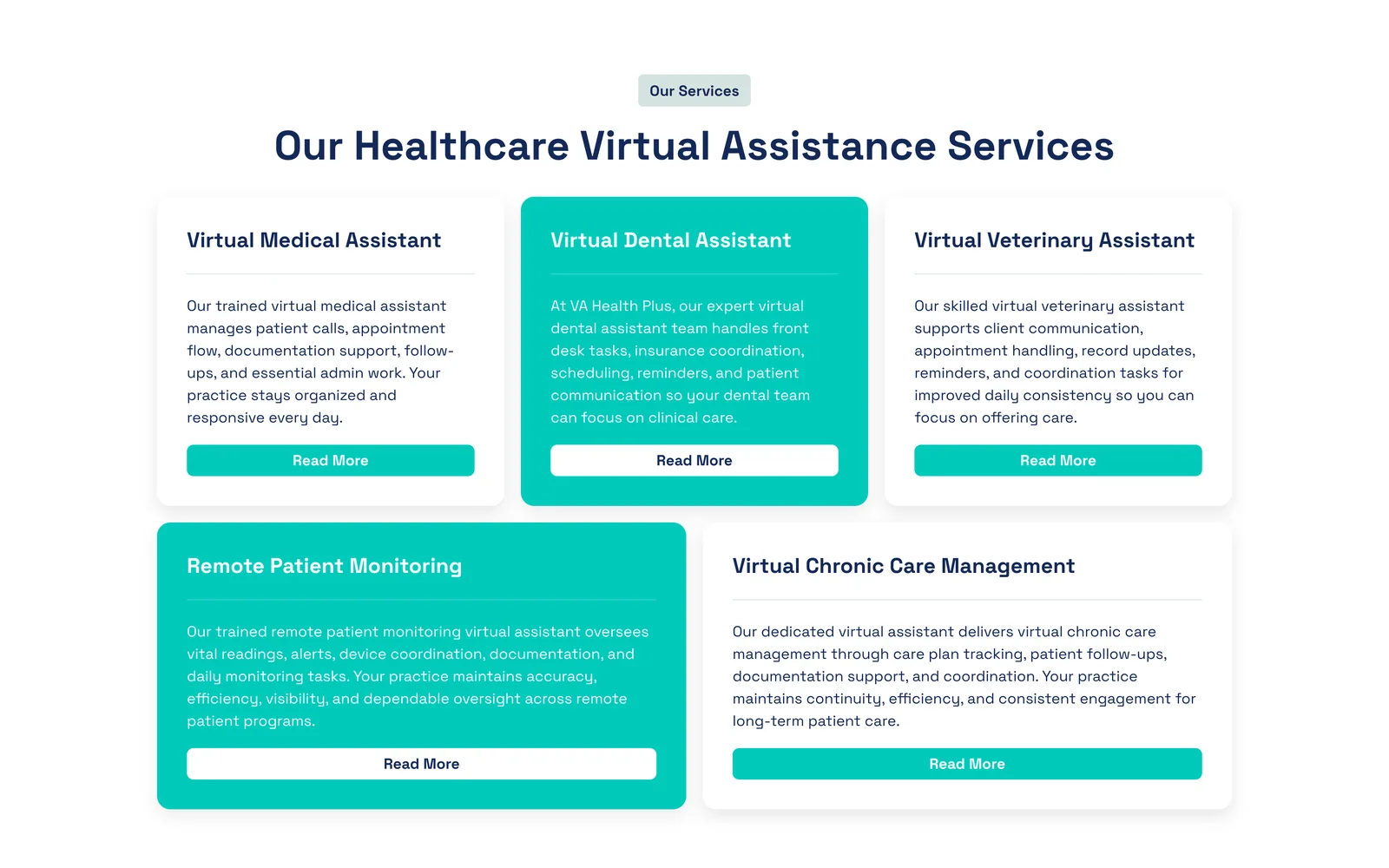
Virtual medical, dental and veterinary assistants, remote patient monitoring and chronic care management each get a card on the homepage and a full page of their own.
A specialties grid lists the 20 fields the assistants support, from cardiology and pediatrics to oncology and sleep medicine, so practices see their own specialty at a glance.

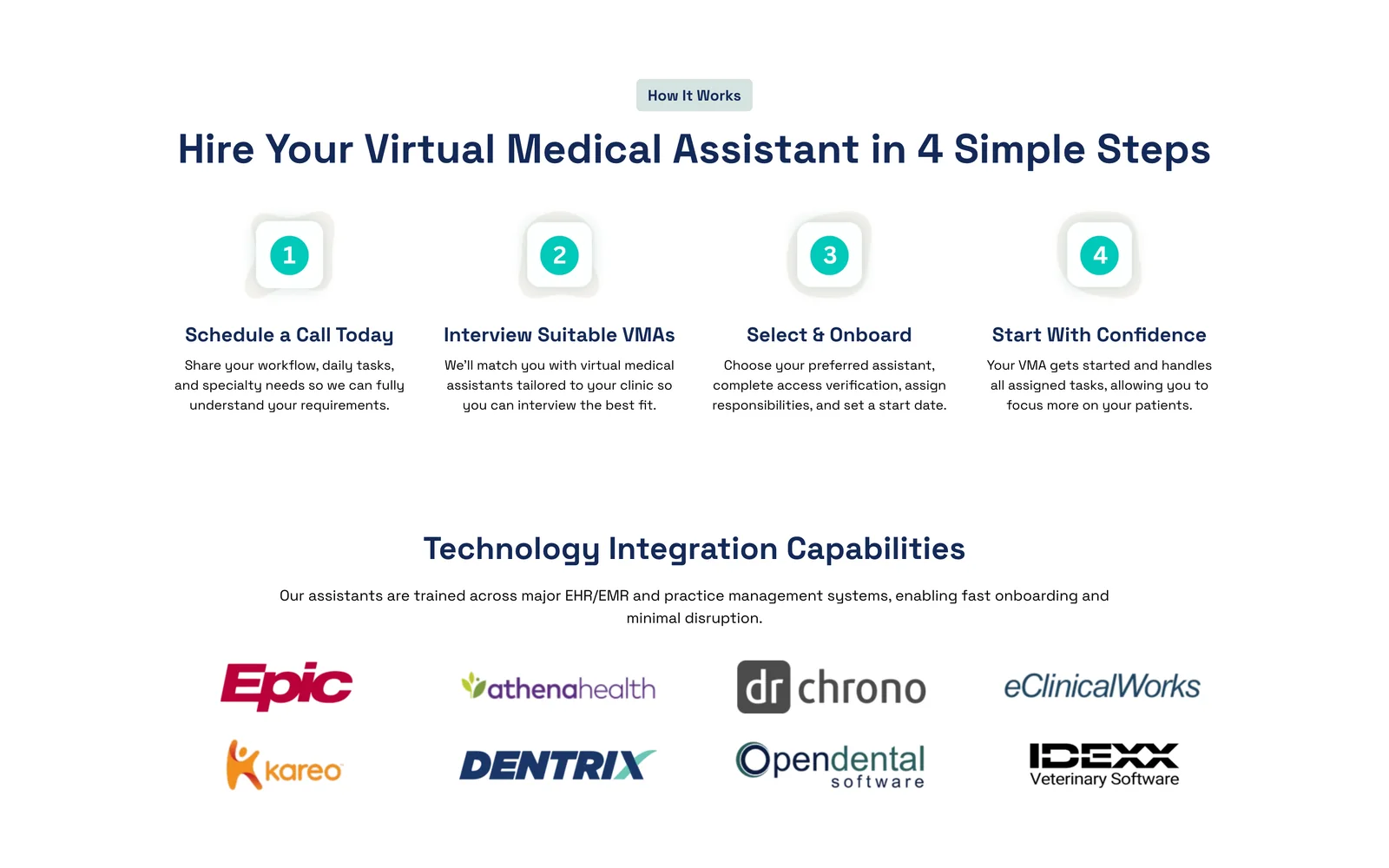
The hiring process is laid out in four steps, from the first call to the assistant's first day, next to the EHR and practice management systems the assistants already know.
State pages for California, New York, New Jersey, Texas and Michigan lead to 95 city landing pages that pair each service with a California city, each with its own content, FAQs and structured data.

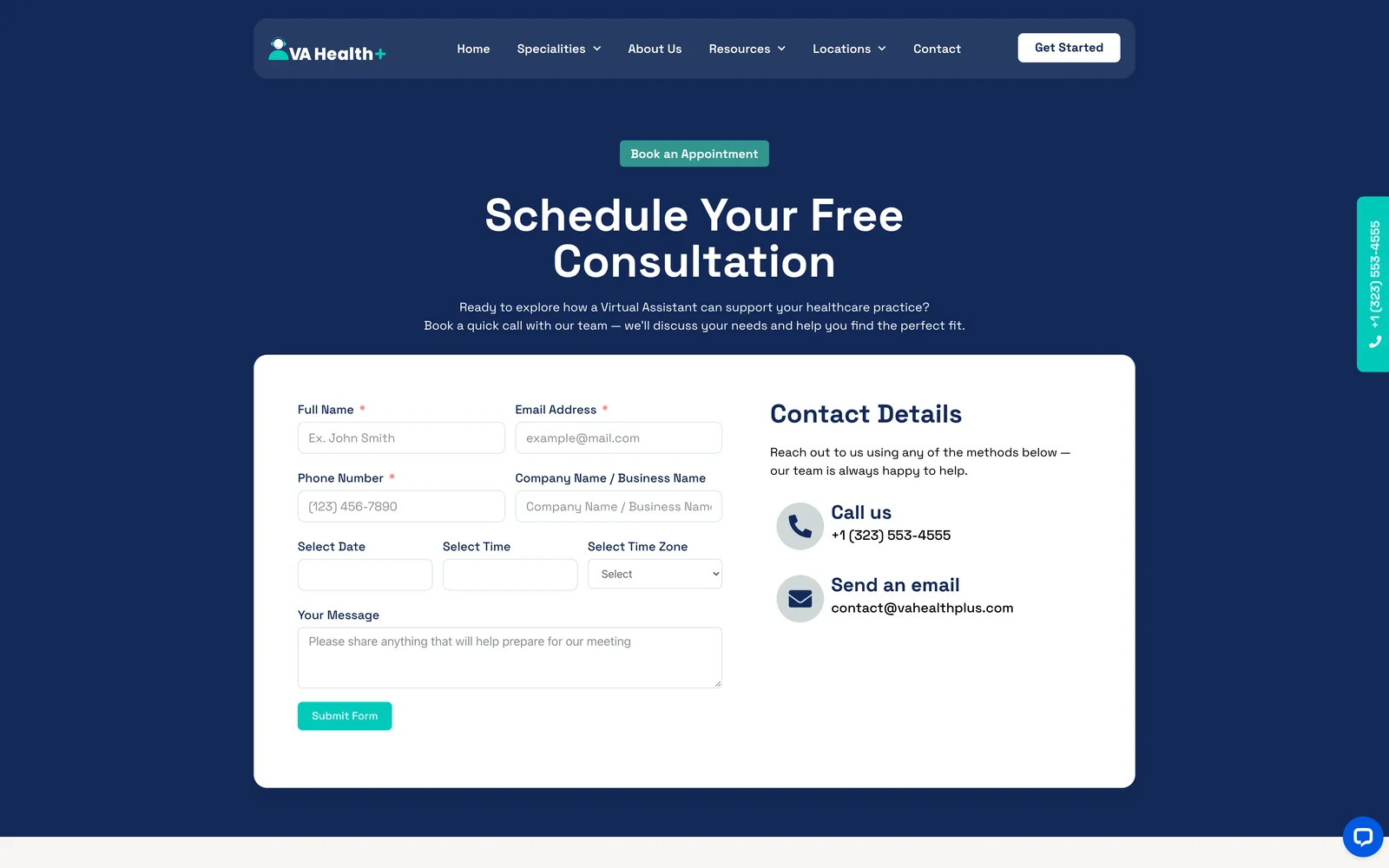
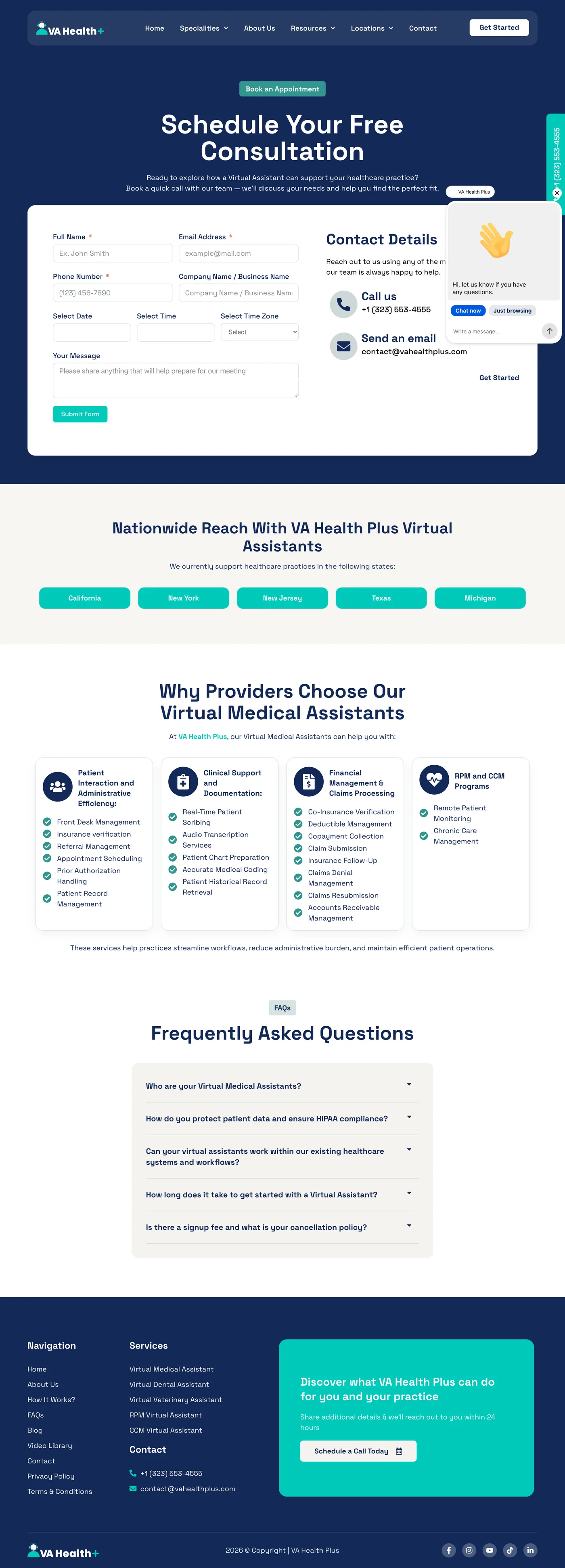
The consultation form asks for the practice name, a preferred date, time and time zone, and a short message, so the team can prepare before the call.
Brand
A calm, clinical palette: deep navy for trust, one bright teal for every action, and soft sage and sand backgrounds that keep long service pages easy to read, all set in Space Grotesk.
Aa
Space Grotesk
The pages
Pick a page, then scroll inside the window to explore it from top to bottom.


Results
city landing pages
Each service paired with a California city, alongside five state pages.
specialties covered
From family medicine to sleep medicine, each listed on the homepage.
blog articles
Helpful articles that answer what practices search for, linked to the service pages.
What it means for the client
- Found where clinics search
Local pages give the site a page to rank for each service in each city.
- Trust before the call
HIPAA, EHR experience, specialties and FAQs are answered on the page.
- Better first calls
The booking form collects the practice details and a time that suits them.
- A site that keeps improving
Ongoing maintenance and SEO keep it fast, secure and growing.
Ongoing maintenance and SEO
Speed
Lighthouse scores for the home page on an emulated phone, the toughest test: every category scores 90 or higher.
- First Contentful Paint
- 2.0 s
- Largest Contentful Paint
- 2.8 s
- Total Blocking Time
- 80 ms
- Cumulative Layout Shift
- 0.019
- Speed Index
- 3.6 s
Lighthouse 12.8.2, emulated mobile, initial page load
The stack
The tools behind the build, and what each one does on the site.
- ElementorEvery page layout, from the homepage to the service and location templates.
- WordPressPages, the blog, the video library and the location pages in one place.
 Rank MathTitles, sitemaps and schema: FAQ markup on service pages, and service and place data on the state pages.
 Fluent FormsThe consultation booking form, with date, time and time zone.
- Google AnalyticsTraffic and conversion tracking through Google Site Kit.