
Future First Financial
A website I designed for financial planner Kathleen Sheetz, plus a custom Retirement Readiness Snapshot: eleven quick questions that score a visitor's readiness, email them their results and send Kathleen the full report.




Hover a screen to scroll the page
Overview
Kathleen Sheetz is the founder of Future First Financial, a retirement planning practice in Virginia’s Shenandoah Valley. She frequently works with Virginia educators and public employees, helping them make sense of VRS pensions, old 401(k)s, Social Security, life insurance and tax strategy, and bringing it all into one coordinated plan.
I designed the whole website, then built the Retirement Readiness Snapshot as a custom WordPress plugin. Visitors answer eleven short questions and see a readiness score with feedback on every answer. A copy of their results is emailed to them, and Kathleen receives the full report, so her first conversation with a new client starts from real answers.
- Client
- Kathleen Sheetz, Future First Financial
- Industry
- Retirement and financial planning
- Location
- Virginia, United States
- Year
- 2026
- Services
- Website design
- WordPress development
- Custom plugin development
- Lead capture and email reports
- Interactive homepage hero
Built for every screen
The same site, laid out for each screen. Drag the edge of the window or pick a device. Hover the screen to scroll the whole page.

On real devices


The challenge
Most people Kathleen meets don't have a bad plan. They have pieces that were never connected: a VRS pension, a 401(k) from an old job, a CPA and an advisor who never talk to each other. The website had to explain that in plain language, and give visitors a low-pressure first step that would also tell Kathleen where each person stands before the first call.
A complicated subject
Pensions, savings accounts, insurance and taxes overwhelm most people. The services had to read clearly, without jargon or sales pressure.
Trust before contact
People only share financial details with someone they trust, so the site needed credibility everywhere: client testimonials, the team and short educational videos.
A first step people will take
Booking a call is a big ask. Visitors needed a quick, private way to see where they stand first.
Leads worth calling
A name and an email say little. Kathleen needed to know each person's situation before reaching out.
Give visitors a clear, low-pressure first step, show them where they stand in about two minutes, and give Kathleen every answer before the first call.
Site structure
A homepage that explains the approach, a snapshot that turns interest into a qualified lead, and pages that build trust.
- Retirement hero
- Planning services
- Additional services
- Testimonials
- Contact form
- 11 questions
- Contact step
- Score and readiness level
- Answer-by-answer review
- Consultation invitation
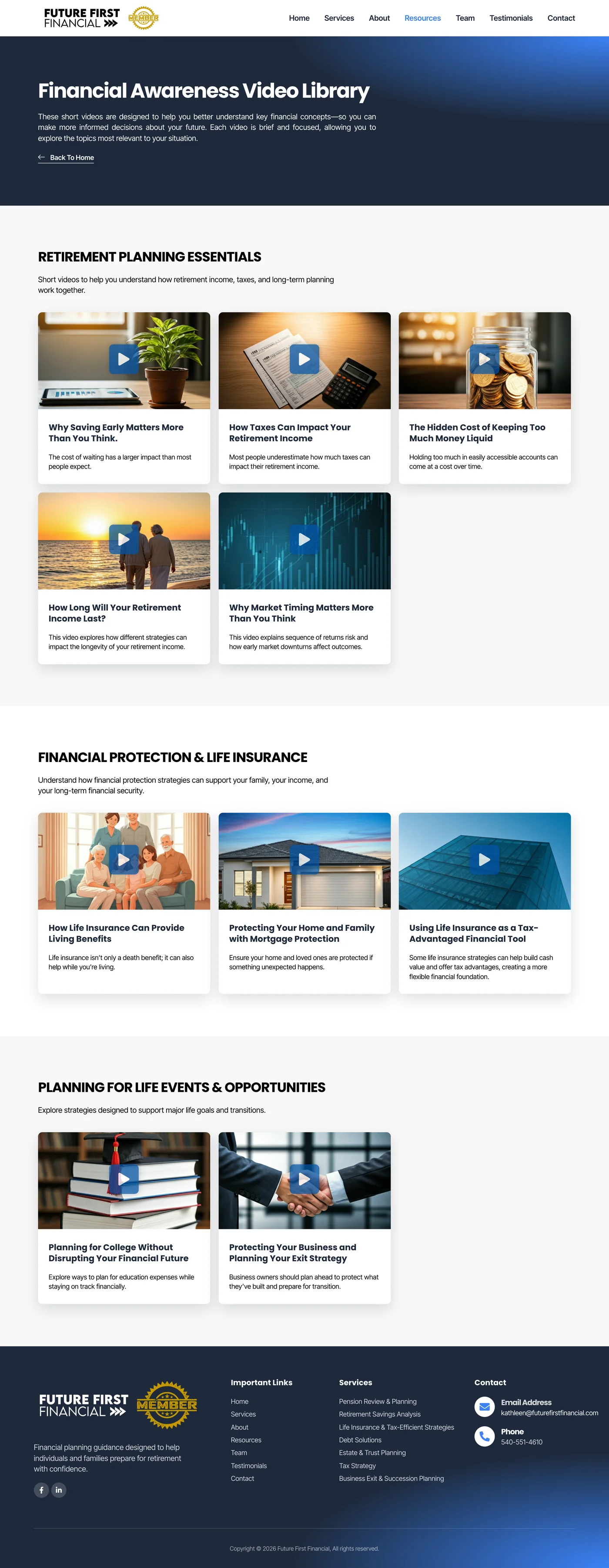
- Video library
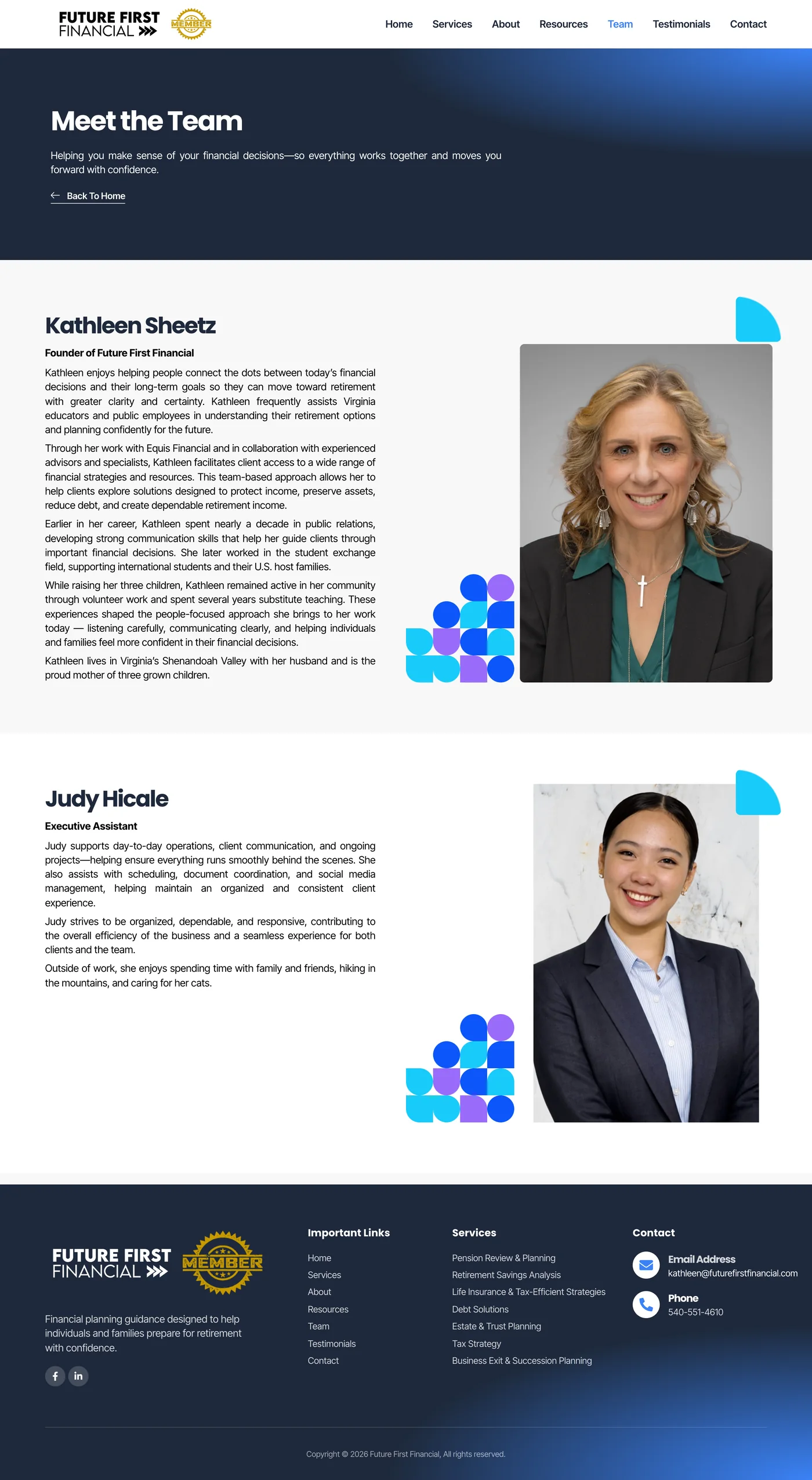
- Meet the team
What I did
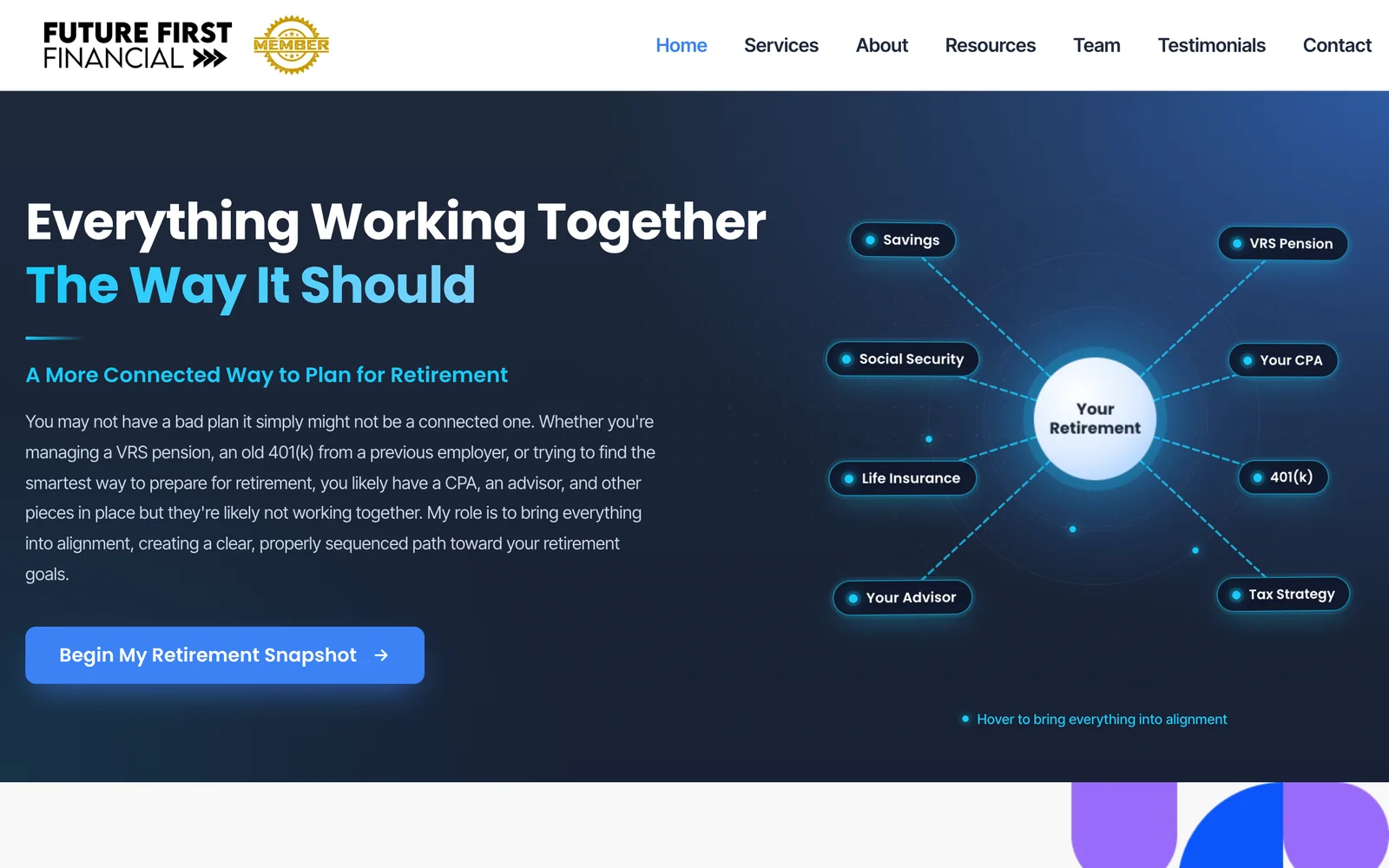
The hero shows the pieces of a typical retirement (VRS pension, 401(k), Social Security, life insurance, savings, a CPA, an advisor and tax strategy) circling "Your Retirement". Hover over it and everything comes into alignment, which is exactly what Kathleen does for her clients.
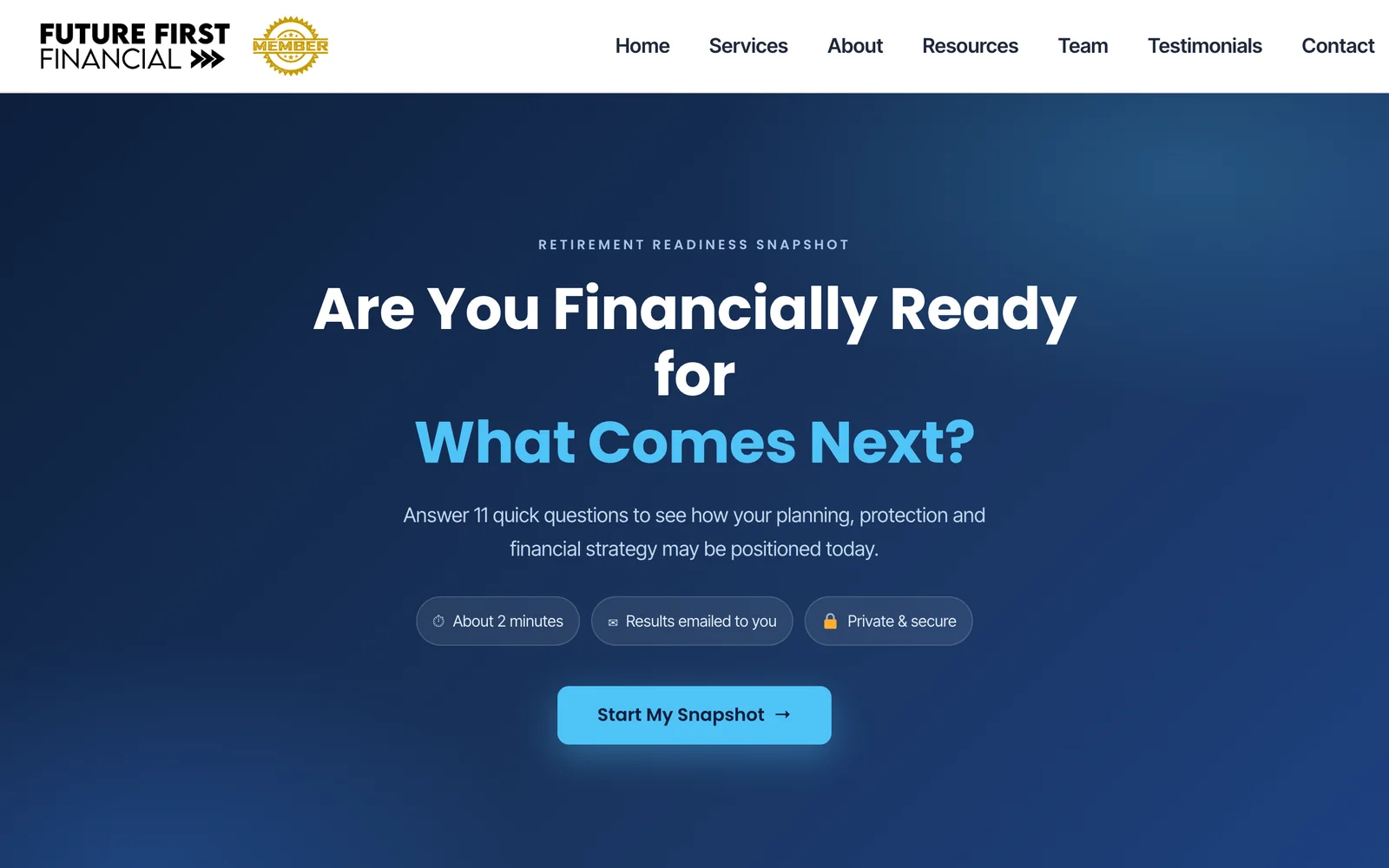
The Retirement Readiness Snapshot sets expectations up front: eleven quick questions, about two minutes, results emailed, private and secure. The main buttons on the homepage lead here.
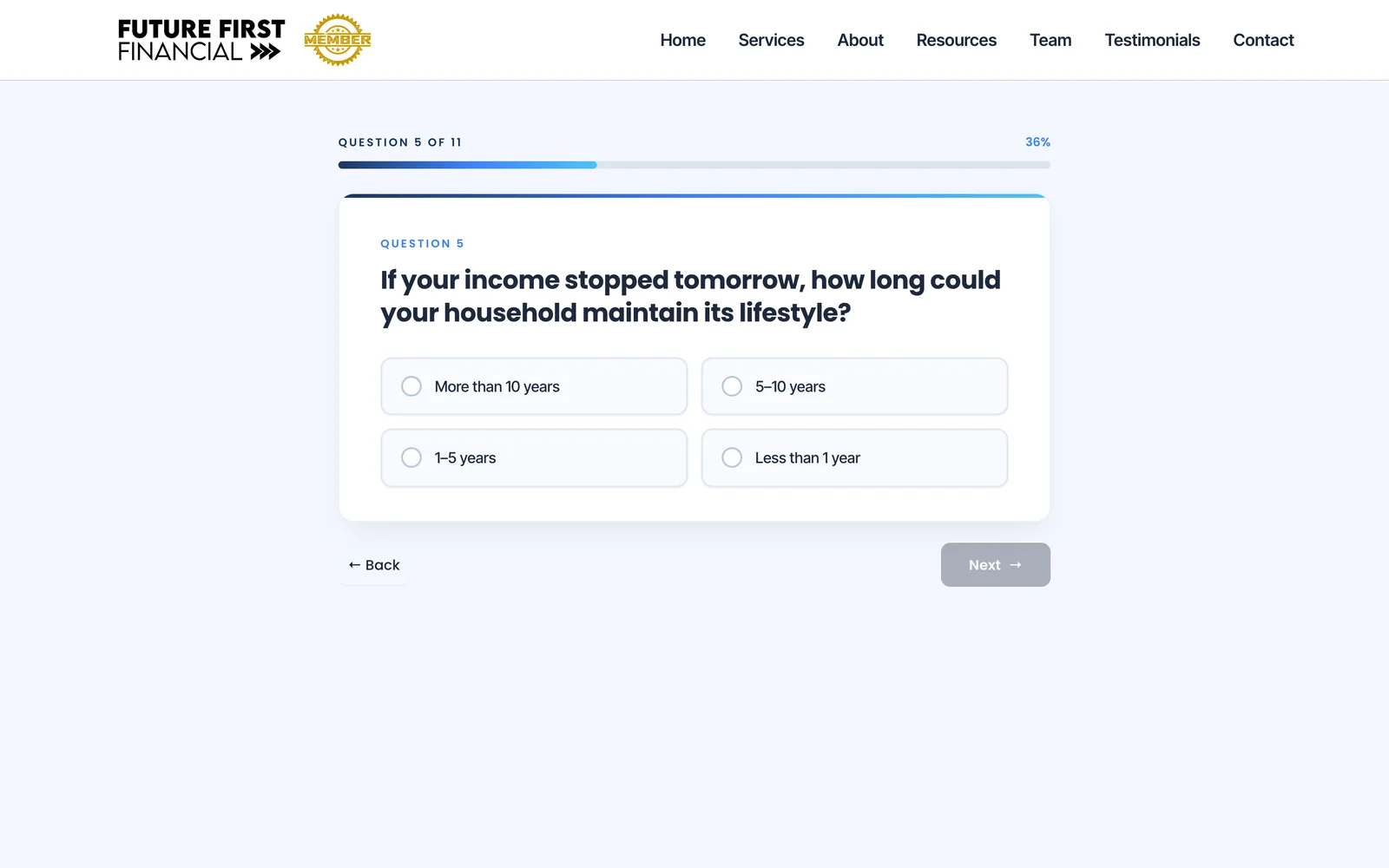
Each question gets the whole card, with large answer buttons and a progress bar. Choosing an answer moves on by itself, number keys work too, and visitors can go back at any point.
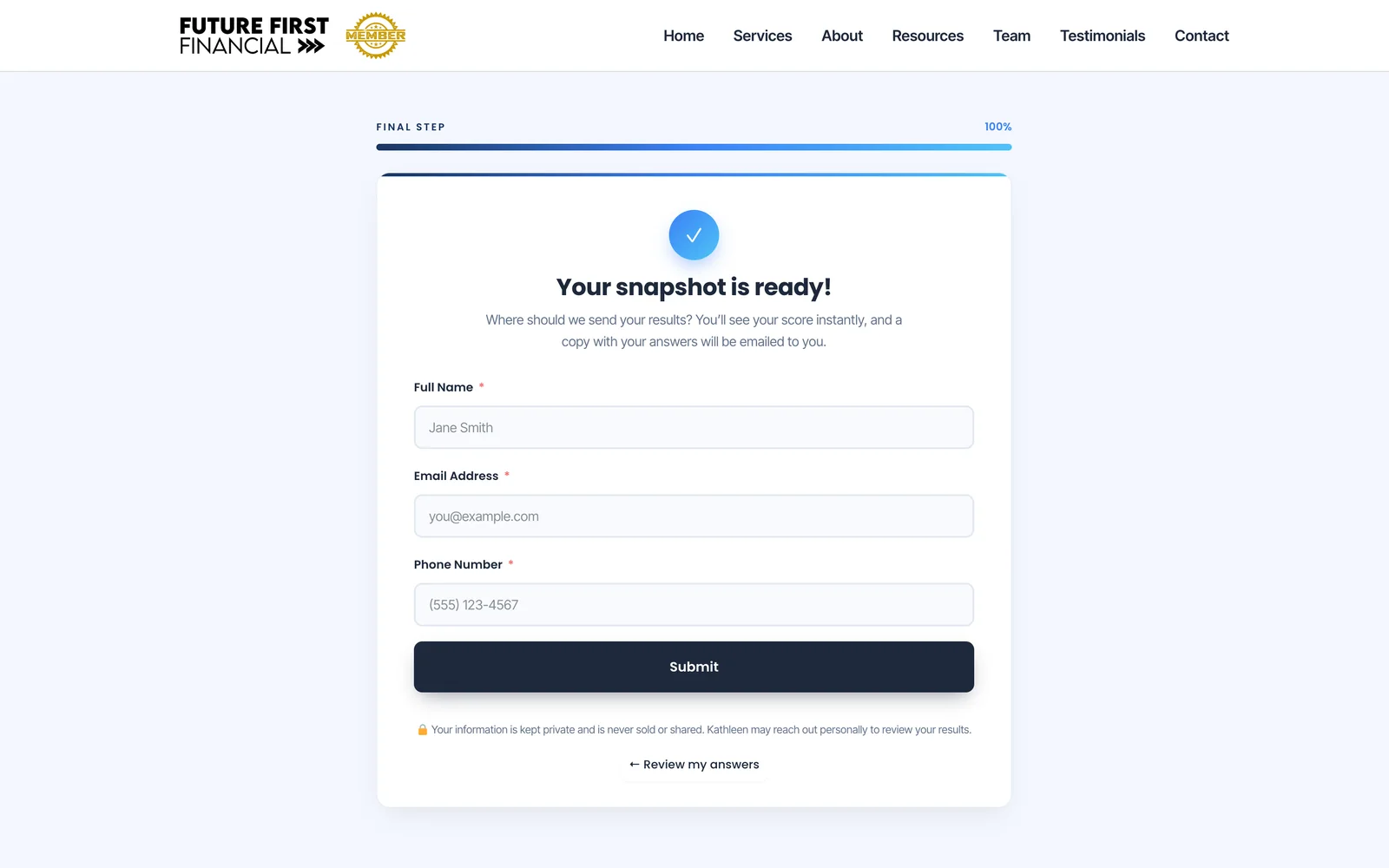
Before the score appears, visitors leave their name, email and phone. The form carries every answer, the score and the readiness level, so the visitor receives their results by email and Kathleen receives the full report.
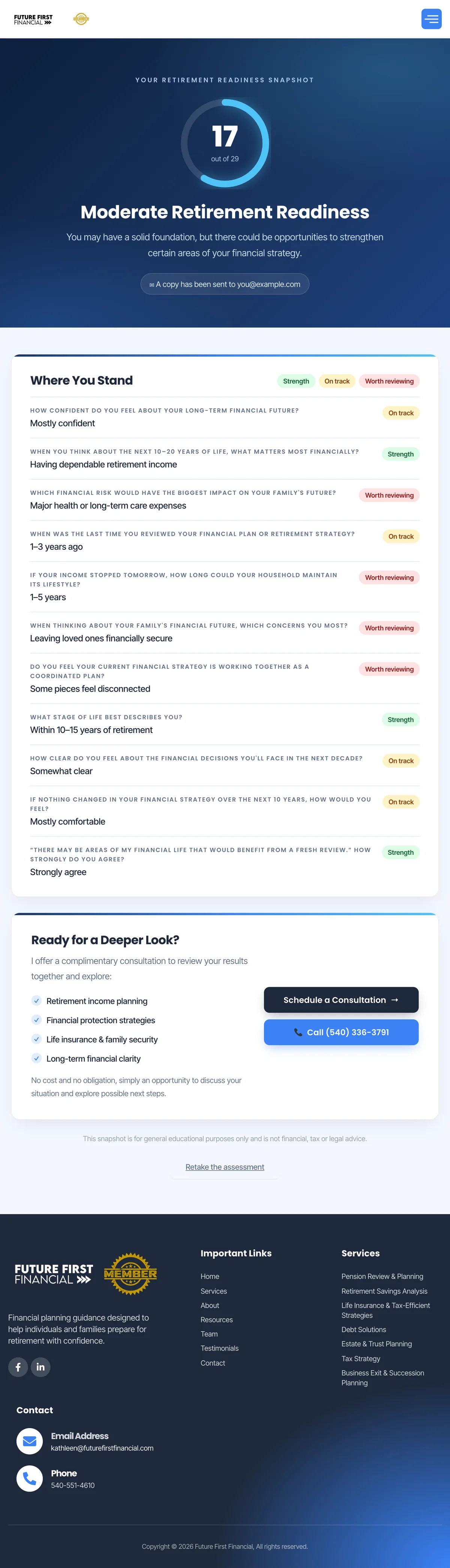
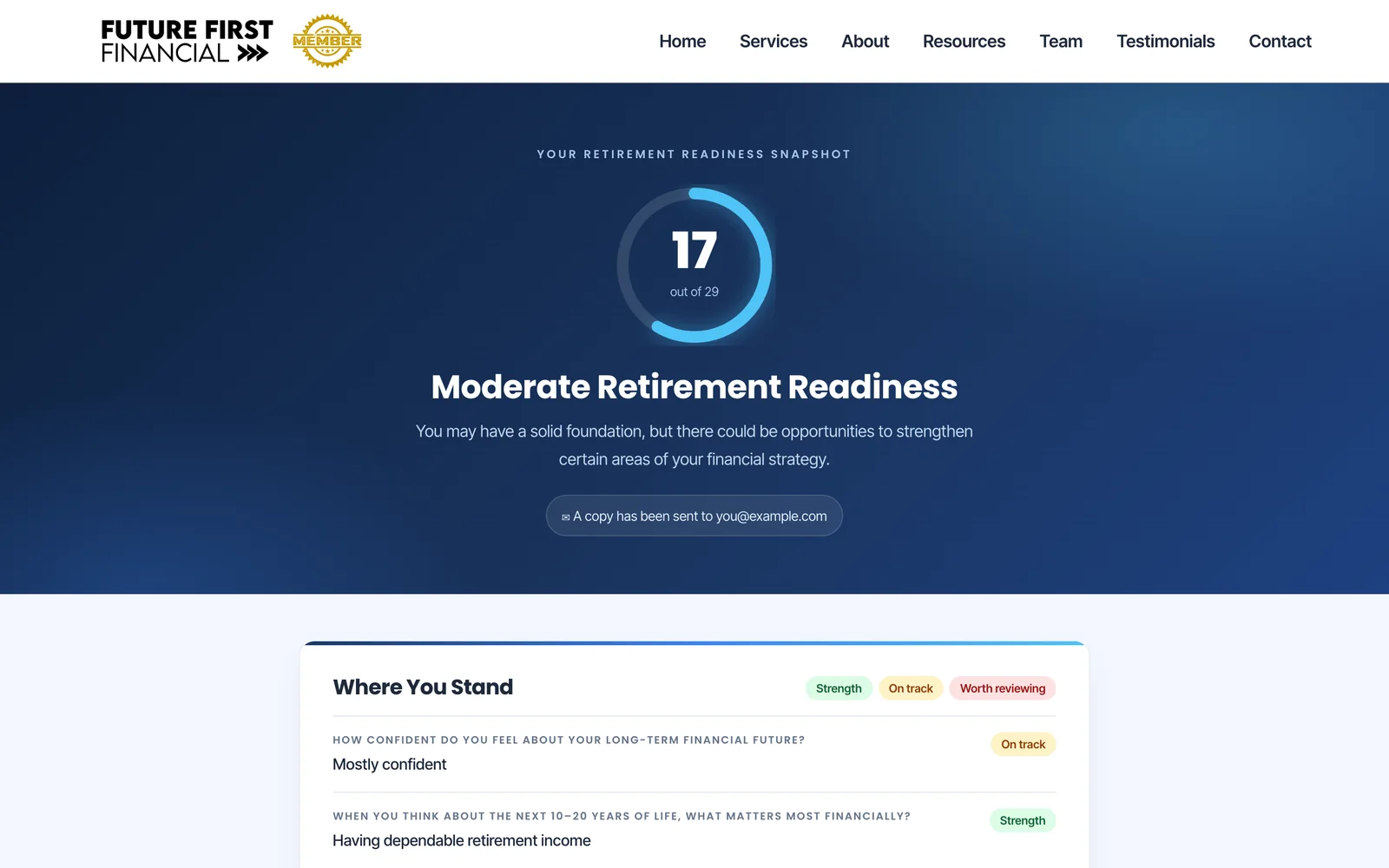
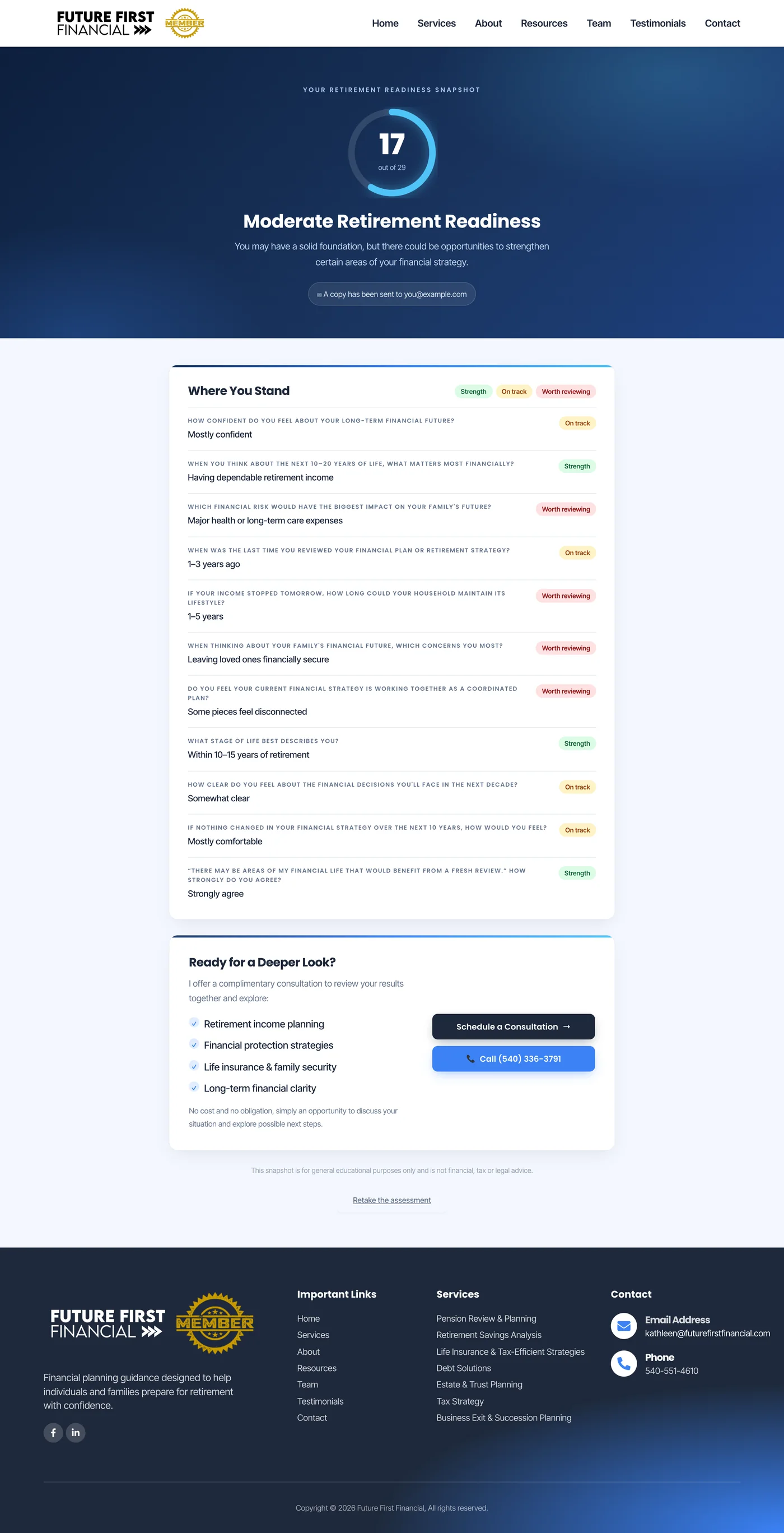
Answers add up to a score out of 29 and one of three readiness levels. Every answer is then listed with a label (a strength, on track, or worth reviewing), so people see exactly which areas to look at.
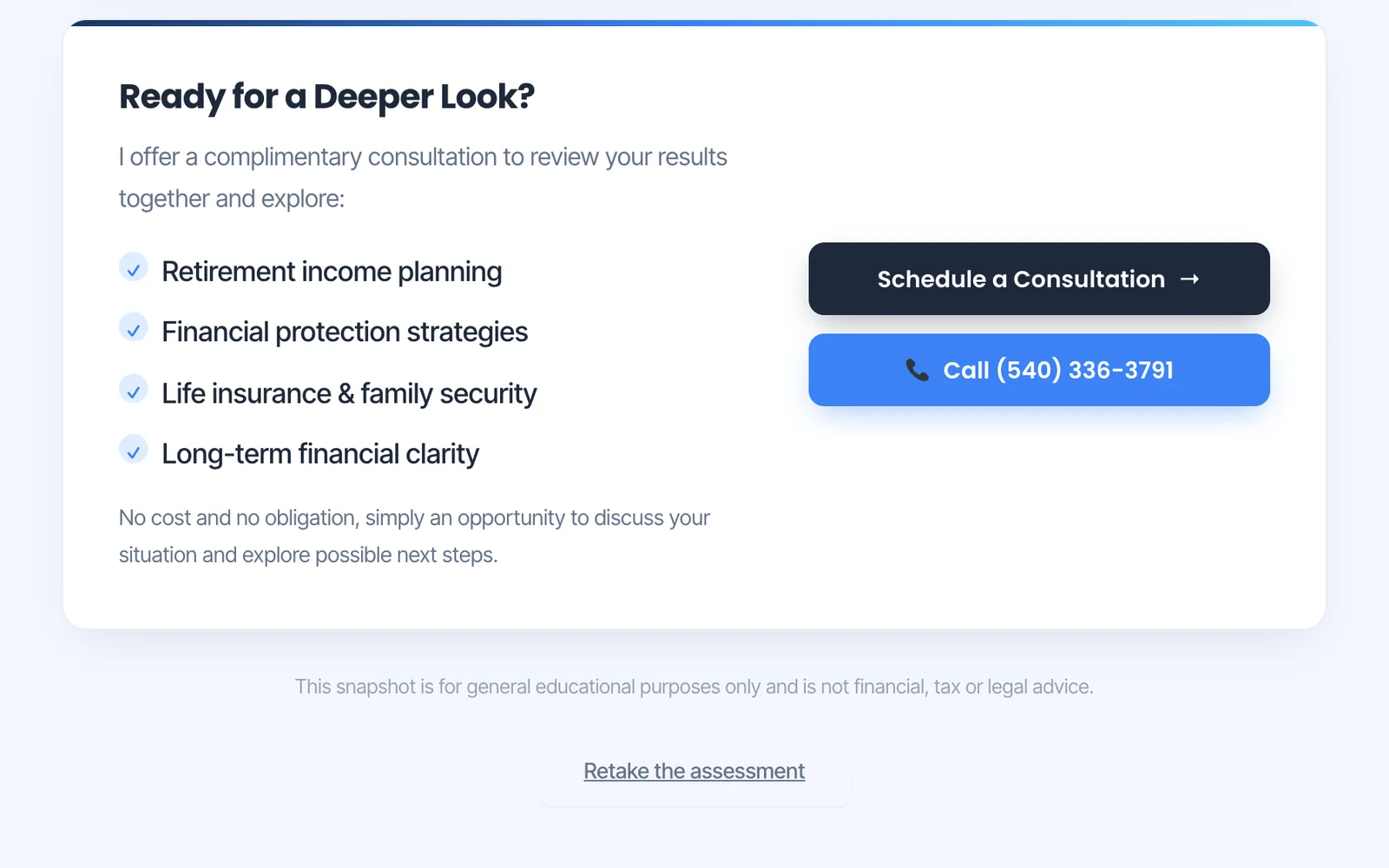
Results end with an invitation to a complimentary, no-obligation consultation, with buttons to schedule it or call Kathleen directly, and a note that the snapshot is educational rather than advice.
Three readiness levels
Every answer carries points, up to 29 in total. The score places each visitor in one of three levels, each with its own short explanation, and the same level arrives in Kathleen's report.
- Strong Retirement Readiness
21 to 29 points - Moderate Retirement Readiness
11 to 20 points - Opportunity to Strengthen
0 to 10 points
Brand
A calm, trustworthy palette for a financial practice: slate navy for depth, one bright blue for every action, sky cyan for highlights and a touch of violet in the graphic shapes, with Poppins for headings and Inter Tight for reading.
Aa
Poppins
Aa
Inter Tight

The pages
Pick a page, then scroll inside the window to explore it from top to bottom.
Results
questions, about two minutes
A short, private assessment visitors can finish before they lose interest.
point readiness score
Three readiness levels, plus a strength, on-track or review label on every answer.
reports on every submission
One emailed to the visitor with their answers, and one to Kathleen with the full picture.
What it means for the client
- Leads with context
Kathleen sees every answer, the score and the readiness level before she reaches out.
- A first step without pressure
Visitors learn something useful about their own situation before deciding to talk to anyone.
- Conversations that start further along
The results show which areas are worth reviewing, so the consultation can begin right there.
- Trust built in advance
Services, client testimonials, the team and a video library answer questions before the first call.
The stack
The tools behind the build, and what each one does on the site.
- Custom pluginThe Retirement Readiness Snapshot, written from scratch: the questions, scoring, readiness levels, answer-by-answer review and every screen of the tool.
- WordPressPages, services, the team and the video library in one place.
- ElementorThe page layouts, built from my own design.
- PHPThe plugin's server side, which supplies the questions, scores and readiness levels to the page.
 Fluent FormsThe contact step of the snapshot. It carries every answer, the score and the readiness level, and sends the reports to the visitor and to Kathleen.